
Table of Contents
The holiday season is an incredibly busy time for marketers. To keep up with the demand for their time, more marketers are turning to AI to help create their ads. In fact, according to the IAB, 83% of ad executives say their company is using AI in the creative process.
The top three reasons companies are turning to AI to help create ads are:
- Cost savings.
- Creative innovation.
- Time savings.
That makes sense — AI can help advertisers keep up with demands without compromising creativity. Brands taking advantage of generative AI can produce high volumes of quality ad content across a range of formats and for different platforms, while also personalizing messaging to specific audiences or product lines. AI can give marketers a head start when they need it most, delivering rapid ideation, first-draft copy, and campaign variations. Best of all, research shows that AI-generated ads perform on par with human-made ads, as long as they don’t have obvious visual signs of being AI-generated.
Still, generating ads isn’t something any marketer can just start doing successfully in a matter of minutes. To get anything worth using out of AI, you have to start by learning how to prompt it effectively. Here’s what you need to know to make AI work for you this holiday season.
First, Align Your Brand With Your Audience
Since understanding your audience is the core of any successful marketing strategy, it applies when creating high-performing holiday ads with AI, too. Although it’s tempting to use AI to build out and define your audience, it can only make educated guesses at who those people actually are. Instead, make sure you’re using real audience data: real stats, real demographics, and real pain points.
The only way AI will be able to create on-brand, high-performing ads is if it fully understands your audience. So, before you do anything else, outline exactly who you’re targeting and what their shopping and buying needs are.
Once you understand who you’re advertising to, it’s time to move on to writing the best possible prompts.
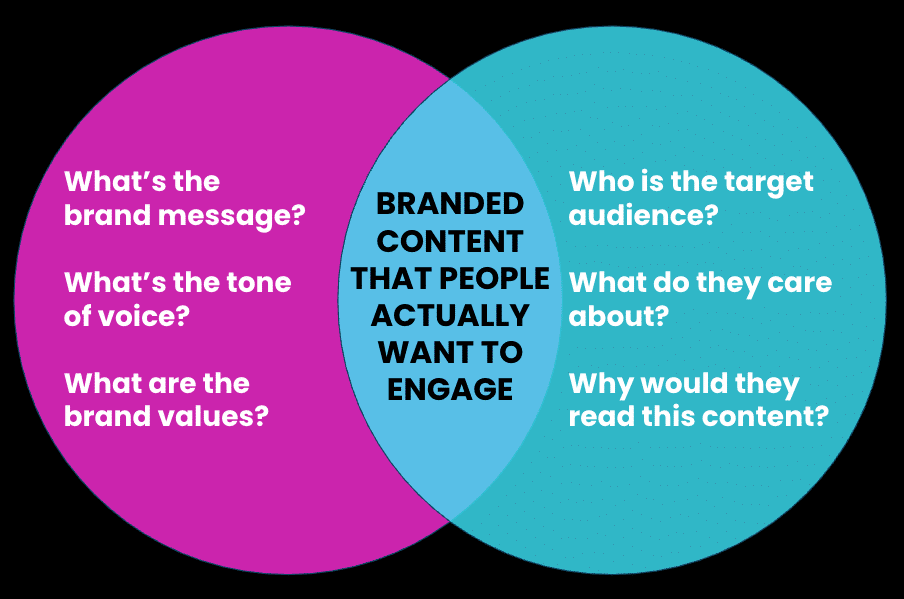
How to Write AI Prompts for Holiday Ad Generation
With every new model release, AI gets better at understanding and completing the tasks you give it. However, you absolutely need to make sure there’s a human in the last step of the AI ad-generation process. Only your human brain will be able to add real nuance and emotion to your ads, and make sure AI hasn’t made any errors before launch.
Even with that human step, though, using AI to do the heavy lifting can still help lean teams save time during the busiest time of the year — especially if they’re good at writing prompts.
The 5 Core Principles of Effective AI Prompt Writing
Those model improvements I mentioned above have also changed what a “good prompt” looks like. Today’s AI models reason through a task before answering, follow instructions more literally, and can work really effectively from brand assets and examples you’ve saved. Anthropic calls this shift “less scaffolding, more curation,” meaning clever phrasing matters less than providing the model with the right information to start with.
Here’s how to write prompts that’ll generate the best possible output and save your team the most amount of time.
1. Provide Context Once
Before you get started with prompting for ad creation, provide your AI agent with as much helpful context as possible. To avoid providing it multiple times, set up a workspace (like a Claude project, a custom assistant, or a reusable skill). Upload or copy and paste details around:
- Your brand’s style and tone.
- Examples of past top-performing ads.
- Audience details/persona.
- Performance data from past ad campaigns.
- Creative guidelines (image sizes, character limits, etc.).
- Holiday product and offer details.
2. Describe the Outcome
Previous prompting advice advised to walk through step-by-step what needed to be done, but today’s reasoning models don’t need that level of detail. In fact, according to OpenAI, that type of step-by-step prompting can actually hinder the AI from producing the best result. Instead, focus on describing the outcome.
For example, instead of “Brainstorm gift angles. Next, pick the best ones. Then write 10 engaging headlines,” etc., etc., try something like, “Write 10 native ad headlines that get last-minute gift shoppers to click through to our coffee subscription gift page. Make the gift feel thoughtful, not like a last-minute afterthought.”
3. Be Explicit and Detailed
AI takes you literally, so it’s important to state exactly what you want. Don’t rely on the AI to infer what you need it to do. For example, if you ask for “a headline,” you’ll get exactly that — one headline. Instead, ask for “five headlines under 60 characters, each leading with a different angle: price, gifting, urgency, and ease.”
This applies to things like missing details in your prompts, too. If you tell the AI to write an ad but forget to give it all the details, it’s likely to make up things like sale dates, offers, and fine print details. Be explicit and detailed in your prompts to avoid these issues.
4. Say What You Want, and Why
One common mistake people make when prompting AI is to give it a list of “don’t”s: “Don’t use X specific words,” “Don’t use cliches,” “Don’t make the ads too clickbait-y,” etc.
While those kinds of lists will help you avoid those certain things, they won’t really get to the heart of the issue or help the AI understand what you DO want. Instead of including something like, “Don’t use holiday cliches,” go for, “Write in plain, specific language that emphasizes the product benefit.” Note that it’s ok, though, to include general things to avoid in your style and tone documents that you upload, like, “Avoid puns and clickbait.”
5. Ask for Variations
AI is much more likely to produce something you can use if you ask for several distinct ad versions, each with a different angle, instead of one “best” answer. So, instead of, “Write a display ad about x product,” try, “Write 10 different versions of an ad about x product using different angles and primary benefits.”
Follow these principles and AI is much more likely to hand you strong first drafts and plenty of options to help you create ads that’ll convert.
How to Prompt for Different Holiday Ad Formats
Beyond the core principles of effective prompt writing, here are a few more holiday-ad-specific tips and tricks:
- Build one core message, then adapt it. Once you have a core value proposition, the offer, and two or three proof points, ask AI to adapt that message into each ad format you need. For example, you could say, “Turn this message into a 300×250 display ad, three native headlines, and a landing page hero section.”
- Decide on your emotional theme. Holiday ads tend to lean on themes like urgency, gifting, nostalgia, and savings. Instead of letting the AI choose one, decide which angle to lead with and tell the AI why it matters to your audience. For example, “Our customers buy this for people they don’t see often, so lean into staying connected from a distance.”
- Show your voice instead of describing it. Adjectives like “playful” or “premium” are hard for AI to decipher. Instead of using them in your prompts, provide examples of on-brand copy and ask the AI to emulate them.
- Prompt for different phases of the season. Let your AI know when the ad will run, whether it’s pre-season, during Cyber Week, or during last-minute crunch time. You could create different versions of the same ad with a prompt like, “Write three versions of this native ad headline: one for early holiday shoppers, one for Cyber Week, and one for last-minute shoppers after the shipping cutoff.”
Now, let’s jump into a few format-specific AI prompting tips.
Display Ads
What matters: Display ads get a split second and a small area to make an impression, so the image, headline, and CTA have to work together at a glance.
Prompting tip: Many image generators can create readable text inside an image, so you can prompt for a finished visual instead of just a description of one. Put the exact headline and CTA text in quotes, name the ad size, describe the scene, and upload a photo of your real product so AI doesn’t invent it.
Prompt example: “Create a 300×250 display ad for our coffee subscription gift, using the attached product photo. Headline text: ‘Give a Year of Great Coffee.’ CTA button: ‘Gift It Now.’ Show the gift box and a steaming mug on a sunlit kitchen counter in a natural, photographic style. Leave clear space at the top for the headline.”
Before you launch, check:
- Is every word of rendered text spelled exactly as written?
- Does the product match what customers will actually receive?
- Does the image look like a real photo, not an obvious AI creation?
Refinement tip: If the text keeps coming out garbled, generate the image without text and add the headline and CTA yourself.
Native Ads
What matters: Native ads should feel like a natural part of the content around them, so curiosity, storytelling, and contextual fit matter most. The headline and image work together.
Prompting tip: AI does its best work on product-driven briefs. Give it concrete details (price, what’s included, how delivery works) along with the persona and placement.
Prompt example: “Write four native ad headlines, each under 60 characters, for our coffee subscription gift. Target people shopping for a hard-to-buy-for relative. The ads will run in article feeds on news and lifestyle sites. Details: three 12-oz. bags of single-origin beans a month, roasted to order, gift note included, from $29/month.”
Example output:
- “The Gift for the Relative Who Has Everything: Fresh Coffee”
- “3 Bags of Fresh-Roasted Coffee a Month, From $29”
- “A Coffee Gift That Arrives Every Month (With a Note)”
- “Why Coffee Lovers Keep Asking for This Subscription”
Refinement tip: Weed out clickbait-leaning options and check that every number matches your actual offer. Use a headline analyzer tool to compare them before launch.
Landing Page Content
What matters: Clear structure, persuasive copy, and a consistent message from the ad click through checkout.
Prompting tip: According to Adobe, AI-driven traffic to retail sites will grow 130% year over year this holiday season, and in July 2026, AI-referred retail visitors converted at a 60% higher rate than other traffic. To cater to both visitors from AI and other sources, prompt for concrete facts (what’s included, the price, shipping cutoffs, etc.) over hype. Paste in the ads you’ll use to drive traffic to the page so that AI can match their phrasing.
Prompt example: “Write landing page copy for our coffee subscription gift: from $29/month, 15% off gift subscriptions through Dec. 15. Match the headline and offer of this native ad: ‘3 Bags of Fresh-Roasted Coffee a Month, From $29.’ Include a headline, subheadline, a short ‘what’s in each box’ section, and a CTA. Each box has three 12-oz. bags of single-origin beans roasted the week they ship, plus tasting notes. Mention that orders placed by Dec. 18 arrive before Christmas, and recipients can pause anytime. Use a warm, confident tone.”
Example output:
- Headline: “Fresh-Roasted Coffee, Delivered Monthly, From $29”
- Subheadline: “Save 15% on gift subscriptions through Dec. 15. Order by Dec. 18 for delivery before Christmas.”
- What’s in each box: “Three 12-oz. bags of single-origin beans, roasted the week they ship, with tasting notes and your personal gift message. Recipients can pause any time.”
- CTA: “Send the Gift”
Refinement tip: Ask the AI to rewrite the page for different shopper motivations (e.g., gift giver vs. self-purchaser), then test which version converts better.
Now that you’ve got a handle on writing prompts, let’s talk more about refinement.
5 Best Practices for Prompt Refinement
Remember, even the best AI prompts won’t lead to 100% ready creative. It’ll always need your human touch! But, refining your prompts can help you generate an output that’s closer to what you need. Here are a few ways to do that:
1. Ask AI to Check Its Own Work First
Before you start editing, have the AI review its output against your requirements, e.g., “Check these headlines against our character limits and brand guidelines, and flag any that mention a price, date or offer that isn’t in the details I gave you.” It might sound counterintuitive to have AI check its own work, but you will actually catch a lot of the small mistakes this way, like made-up sale dates or headlines that run long, so your manual review can focus on whether the ad actually works.
2. Let AI Ask Questions
If the output isn’t totally there, but you’re not exactly sure what’s missing, you can say something like, “Before you revise, ask me the questions you need answered to make this ad more effective.” It will often flag gaps you didn’t think of.
3. Give Specific Feedback, Including What Works
Treat AI output like a first round of copy from a new freelancer on your team. If something feels off, say exactly what and why, rather than just asking it to try again. For example: “These headlines feel too salesy for a gift guide. Make them warmer, keep them under 60 characters, and lead with the recipient instead of the discount.” Name what’s working, too, e.g., “Keep the structure of the second headline.”
4. Build on Your Best Option Instead of Starting Over
When one variation is close, don’t regenerate the whole batch. Instead, pick the strongest option and ask for more versions of that one, e.g., “Give me five more headlines in the style of number three, with different opening words.” You’ll get to a finished ad faster than by starting over from scratch.
5. Save Your Corrections So You Don’t Repeat Them
If you find yourself giving the same notes every time (“no exclamation points,” “always say ‘gift subscription,’ not ‘gift plan’”), add it to the brand and style documents in your workspace. Every future prompt will then start from that correction. Likewise, if a single conversation gets long and the AI starts mixing up earlier instructions, ask it to summarize the final brief and paste that summary into a fresh chat.
Key Takeaways
AI can still take much of the heavy lifting out of holiday ad production, but the way you prompt it has changed. Build your brand context once instead of repeating it in every prompt. Then, describe the outcome you want, not the steps to get there. Be explicit, because AI takes you literally, and again, say what you actually want, rather than what to avoid. Make sure the ads don’t have an “AI look” by using real product details. Then, refine: add details, test one variable at a time, let AI ask questions, drop outdated prompt habits, and give specific feedback. Before anything launches, give it a final human review.
Frequently Asked Questions (FAQs)
How can I use AI to write high-converting holiday ad copy?
To write high-converting holiday ad copy using AI, start with a detailed prompt that includes your product, offer, audience, tone, and goal. Then ask for several variations, each with a different angle, like gifting, urgency, or savings. AI’s first draft will give you a good starting point, but refining and testing the output will help you take it to the next level.
Before launch, check your options against real performance data. Realize’s real-time Trends dashboard, e.g., shows which headline styles, topics, and images are driving engagement on Realize’s network right now. Its Headline Analyzer lets you compare variations to see which is likely to earn the highest CTR. A/B test your top contenders once the campaign is live, then feed the winning angles back into your next round of prompts.
How can I use AI to create multiple holiday ad variations for A/B testing?
Ask for variations that differ in only one element, and have AI label what each one tests. For example: “Write four versions of this native ad headline. Keep the offer the same, but lead each one with a different angle: price, gifting, urgency, and convenience. Label each version with its angle.” For visuals, Realize’s GenAI Ad Maker can generate image and headline variations right in the platform, so you can pair them without leaving campaign setup. Keep each test to two or three variants so each one gets enough traffic for a clear result.
How can I adapt evergreen ads for the holiday season?
Start with your best-performing evergreen ads, since they’re already on-brand and proven. Paste one into your AI tool along with your holiday offer and key dates, and ask it to change only what the season requires. For example: “Adapt this ad for the holidays. Keep the structure, product claims, and tone. Add our 20% gift offer, a Dec. 18 shipping deadline, and gift-giving language.” Limiting the changes keeps what made the ad work while making it timely. For visuals, ask an image tool to add seasonal touches to your existing product shot, like warm lighting, gift wrap, or a winter setting, instead of generating a new image from scratch.